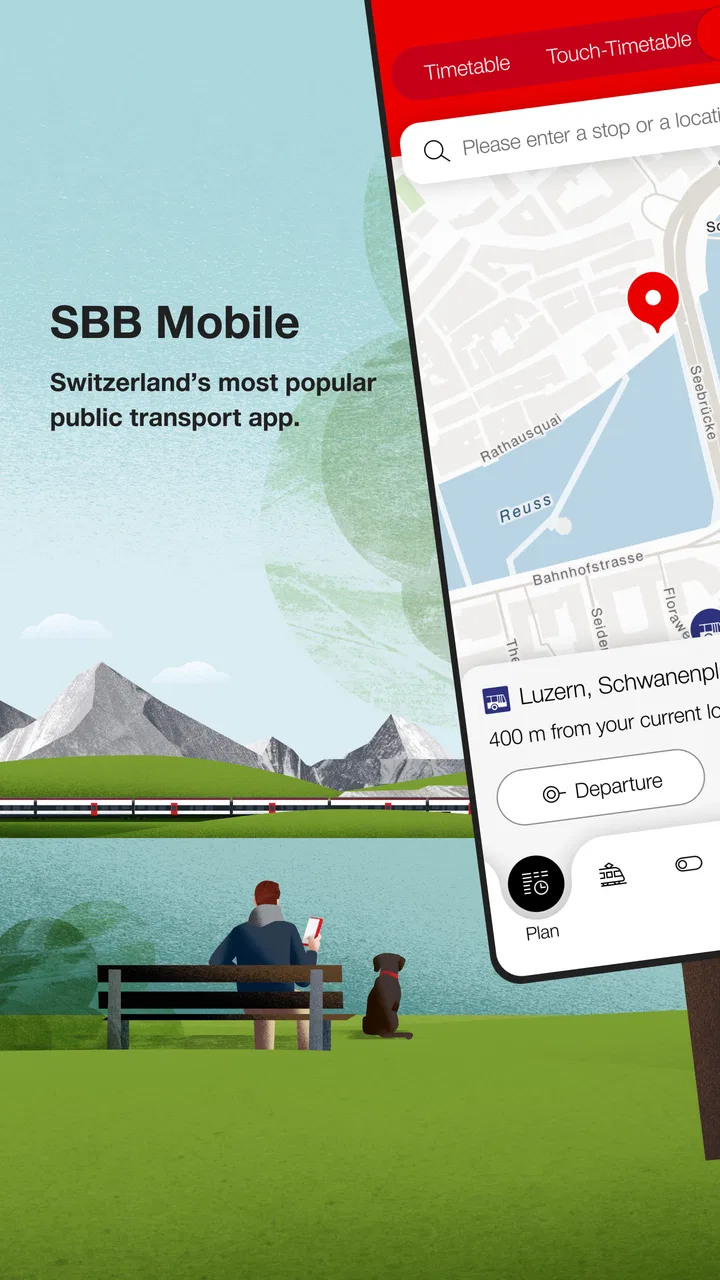
SBB Mobile
- 3.4
- Rating
- 5.00M
- Installs
- Free
- Price

 Analysis by App-foxy
I used SBB Mobile as the kind of app you open when a journey depends on getting the public-transport details right rather than simply finding a road. It is built by Schweizerische Bundesbahnen SBB and sits firmly in the Maps & Navigation category, but its practical value is more specific than a general map: it is aimed at planning and managing travel by public transport. I found it most useful when several people were sharing one travel plan, especially when the route involved changes, different departure times, or a meeting point that needed to be explained clearly.
The app is free and suitable for Everyone, which makes it easy to consider for a household, a visitor, or a younger passenger who needs help navigating a trip. Its overall average is 3.4 from around 33 thousand ratings, so the public reaction is mixed rather than universally enthusiastic. That matches my impression: the core idea is useful and focused, but the experience depends heavily on whether you want a dedicated public-transport tool or a broad navigation app that also includes trains and buses.
How SBB Mobile works when several people share a journey
A realistic household example is a parent checking a route before work while another family member is travelling to an appointment. One person may know the destination but not the station layout, while another may need to leave later and follow a different connection. In that situation, I would use SBB Mobile to check the journey details, then communicate the important parts in ordinary language: where to start, when to leave, where to change, and which arrival point matters.
You May Also Like

 Blood Strike: 2.5 Anniversary
Blood Strike’s Loadouts Turn Every Drop Into a Tactical Gamble
A close look at Blood Strike’s custom loadouts: how fast access to signature weapons reshapes its battle royale rhythm, rewards preparation, and narrows the gap between fights.

 Pandora - Music & Podcasts
Pandora’s Music Is Easy to Start, but Harder to Recover
Pandora’s strength is its low-effort path from a seed to a station. Its weak spot is how much confidence it asks you to place in connection, setup, and quiet recovery.

 8 Ball Pool
 Is Built on Rivalries, Rematches, and Routine
A close look at the rivalries, rematches, shared routines, and unanswered safety questions that turn a quick pool match into a persistent mobile community.

 Samsung Music
’s Quiet Strength Is Playing What You Already Own
Its reach comes less from spectacle than from dependable access to a personal library. That simplicity is both the app’s strongest retention engine and its ceiling.

 AccuWeather: Weather Radar
AccuWeather Review: A Quick, Clear Forecast for Everyday Decisions
For everyday plans, the best forecast is the one you can understand quickly. AccuWeather makes rain timing, radar, and local conditions easy to act on, with a few trade-offs.

 Hill Climb Racing
Why Hill Climb Racing Still Turns Crashes Into One More Run
A tiny car, a bumpy hill and one more upgrade: Hill Climb Racing keeps resurfacing because its simple chaos makes every near-miss feel personal.
More From Our News Desk



That shared-use scenario reveals one of the app’s strengths. It encourages people to think in terms of a complete public-transport trip instead of treating each train or bus as an isolated search. I could use it before leaving home, then reopen it when plans changed. For a household, the benefit is not that everyone is magically connected inside the same account; the benefit is that each person can use the same travel information as a common reference.
I would not treat it as a family dashboard. It is better understood as an individual travel companion that can support coordination. If one person is responsible for checking the route and another is actually travelling, the first person still needs to pass along the relevant details. That boundary matters because a shared device or shared household does not automatically mean shared travel status, shared preferences, or a single joint itinerary.
For a short, familiar ride, opening a dedicated transport app can feel unnecessary. A general map app may be quicker if I only need to see a nearby stop or compare walking directions. SBB Mobile becomes more worthwhile when the trip has several public-transport stages, when timing matters, or when I want information presented around transport connections rather than around driving and walking routes.
One device, several travellers
On a shared phone or tablet, I would keep the app available for route checking but avoid assuming that every traveller should use the same personal setup. The person who owns the device may be the one who normally searches, while a child, guest, or older relative may only need to inspect a route before leaving. That arrangement keeps the app useful without turning one device into a substitute for each traveller’s own travel planning.
A practical routine is to search the journey together, identify the important transfer, and then let the traveller repeat the route in their own words. This is more reliable than simply saying “the app knows where to go.” If the passenger can explain the starting station, the change, and the destination, the household has reduced the chance of confusion when the phone is unavailable or attention is divided.
I also like this approach for visitors. Someone staying with me could use the app to understand a route without needing to learn my personal map habits. I can help with the first search, but the traveller remains responsible for checking the journey they intend to take. That is a small distinction, yet it prevents a common mistake: one person plans a route for another person without confirming that the departure point and timing actually fit.
Setup boundaries and what to expect before relying on it
The app has been available since March 7, 2011, and the current version is 12.52.2.176.master. It runs on Android 8.0 or later. Those details are worth checking before installing it on an older household phone, particularly if the device is kept as a backup for children or guests. A free app is only convenient if the device can install and run the current release comfortably.
Because the app is free, the initial decision is uncomplicated: there is no purchase barrier to testing it for a normal journey. I would still set it up before the day of travel rather than during a rushed departure. That gives me time to make sure the right destination is being searched, the starting point is sensible, and everyone involved understands the route shown on screen.
The most important setup boundary is personal responsibility. I would not assume that installing the app creates a shared household account or that one person’s searches automatically become available to everyone else. If several people need the same information, I would deliberately compare the route on each relevant device or explain the route clearly. This is especially important when one person is travelling alone and another person is only providing support from home.
I also recommend separating planning from last-minute improvisation. Before leaving, I would check the full trip and note the connection that would cause the most trouble if missed. For a family, that might be the change where a tired child needs extra help. For an older relative, it might be the point where the traveller must identify a new platform or station area. The app can support the planning, but it does not remove the need for a human backup plan.
Planning without overloading the traveller
One mistake I made with transport apps in general was giving someone too much information. A long route can look intimidating when every detail is repeated. With SBB Mobile, I would first identify the essential sequence, then explain only what the traveller needs to act on. “Leave from this station, change here, get off at this destination” is often more useful than reading every line of the journey aloud.
For a shared household, I would save a simple written note alongside the app if the journey is important. That note might include the appointment location or the name of the person meeting the traveller. I am not treating the note as an app feature; it is a sensible companion to the app because transport information alone may not explain what to do after arrival.
This is also where SBB Mobile differs from a general map service. A general map is usually better when the trip combines walking, driving, and several unrelated locations. SBB Mobile makes more sense when the public-transport part is the central problem. I would choose the broader map for exploring an unfamiliar neighbourhood, but I would reach for SBB Mobile when I want a transport-focused view of a planned journey.
Coordination: useful for planning together, limited as a family tool
For coordinating a household, I found the app most helpful before the journey begins. Two people can look at the same route and agree on the practical details: which departure works, where the transfer happens, and where to meet at the destination. This is more dependable than sending a vague message such as “take the train around lunchtime,” especially when a small timing difference could change the connection.
A good workflow is to plan the route with the least confident traveller present. Instead of having the most experienced person make every decision, I would ask the actual passenger to identify the departure and destination on the screen. That exposes misunderstandings early. A child may recognise the destination name but not the station; a visitor may choose the right city but the wrong stop; an older passenger may need the route explained in a different order.
The trade-off is that coordination remains manual. I would not expect the app to replace a family messaging service, a shared calendar, or a direct conversation. If plans change, the household still needs to tell one another. The app can help each person check the updated journey, but it is not a complete communication system for a group.
That limitation is actually healthy in some situations. When a teenager is travelling independently, I would rather use the app as a planning aid than assume that another family member can monitor every step. The traveller should know the route and the fallback plan. The adult can help before departure, but the app should not create false confidence that someone else is continuously supervising the trip.
When a route needs a backup plan
For an important appointment, I would inspect the journey early and identify the point where a delay or missed change would matter most. I would then agree on a simple response: check the next available connection, contact the person waiting, or return to a known station. This advice is not a special mode inside the app; it is how I would use a route-planning tool responsibly.
Another useful habit is checking the route again shortly before leaving. A plan made in the morning may not be the plan I need later. I would avoid relying on a screenshot taken hours earlier if the journey is time-sensitive. A current check is more useful than a static image, while a written meeting instruction remains valuable for the part of the trip that happens outside the transport network.
For a group travelling together, one person can act as the route checker, but I would still make sure everyone knows the destination. If the group separates, each person needs enough information to continue. This matters with children and older adults alike: shared movement can hide the fact that one traveller does not understand the route until the group is already under pressure.
Age, trust, and sensible independence
The Everyone age rating makes the app broadly approachable, but an age label does not decide whether a particular traveller is ready to use it alone. I would judge that by the person’s ability to read the route, recognise the correct station, manage a change, and ask for help when something looks different. A younger user may be comfortable searching a destination but still need an adult to rehearse the journey.
For a child, I would begin with a supervised trip. We could search together, follow the route, and discuss what to do if the planned connection is missed. The goal would not be to monitor every tap; it would be to build practical confidence. Once the child can explain the journey and the fallback plan, the app becomes a useful support rather than a screen they depend on blindly.
For an older relative, the issue may be less about age and more about comfort with changing information. I would enlarge the practical explanation by reducing it to the key stages and confirming the destination verbally. If the traveller has difficulty reading a busy route display, a companion’s clear instructions may be more useful than handing over the phone and expecting the app to do all the work.
Trust should work both ways. A family member helping with travel should not assume that the passenger has understood everything simply because the route looks clear on the screen. The passenger should also feel able to question the plan. I consider that an important part of using SBB Mobile responsibly: the app supplies a structured travel reference, while people still verify that the reference matches the real situation.
Privacy and account boundaries also deserve common sense. On a shared device, I would avoid leaving personal travel searches open for the next user if the device is used by several people. I would also make sure a guest understands whose phone they are using and which parts of the setup belong to the device owner. The app can be shared as a tool, but personal responsibility should remain clear.
Who should use it, and who may prefer something else?
I would recommend SBB Mobile to people who regularly depend on public transport and want a focused way to plan those journeys. It is especially suitable for commuters, visitors learning a new transport network, and households that need to coordinate train-based trips without relying entirely on a general-purpose map.
I would also recommend it for occasional travellers who prefer transport information to be the centre of the experience. The free price makes it easy to try for one journey, and the broad Everyone rating removes an obvious age barrier. Its established presence and more than five million installs suggest that it is not an obscure experiment, although the 3.4 average rating is a reminder to test the experience yourself rather than assuming it will suit every phone and travel habit.
I would skip it as my main navigation app if most of my journeys involve driving, walking exploration, cycling, or combining many unrelated stops. A general map application is usually more flexible for those situations. I would also hesitate to make it the only tool for a high-stakes trip involving a vulnerable traveller. In that case, I would use it for planning but add direct communication, a clear meeting arrangement, and a backup route.
The app is not a replacement for local knowledge either. A route may be technically correct while still being uncomfortable for someone carrying luggage, travelling with a small child, or struggling with stairs and crowded changes. I would use the displayed journey as a starting point, then consider the traveller’s actual abilities and the time they need to move between stages.
My household verdict
After using it as a public-transport planning tool, I see SBB Mobile as most valuable when the question is “How do we make this transport journey clearly?” rather than “What is the best way to get anywhere?” That focus gives it purpose. It can help a household prepare together, give a visitor a route they can understand, and support a younger or older traveller without pretending to replace human judgement.
Its boundaries are just as important as its strengths. It does not turn a shared phone into a shared travel command centre, and it should not be treated as proof that someone is being monitored or guided throughout a journey. I would use it to agree on a plan, check the important connection again before leaving, and make sure the actual traveller understands what happens at each stage.
The current release, 12.52.2.176.master, supports a mature app that has been around since 2011, while the Android 8.0 minimum means older devices should be checked before they become the household backup. With no purchase cost and an Everyone rating, trying it is straightforward. My honest recommendation is positive but specific: choose it when public transport is the centre of your trip and coordination matters; choose a broader navigation alternative when your journey is mainly about roads, walking discovery, or mixed-location planning.
For my own household, I would keep it available as a dedicated transport reference, not as the only navigation or communication tool. Used that way, it offers a practical balance: enough structure to make shared travel easier, while leaving the final responsibility with the people who are actually making the journey.
FAQs for SBB Mobile
01What features does SBB Mobile offer for travelers?
SBB Mobile provides a comprehensive suite of features for travelers, including real-time timetable information, easy ticket purchasing, and personalized travel updates. It also allows users to save favorite routes, access departure and arrival boards, and utilize the "Take me Home" function for quick travel planning. Integration with Swiss public transport systems ensures seamless travel experiences.
02Is an internet connection required to use SBB Mobile?
Yes, an internet connection is required to access real-time data, purchase tickets, and receive live updates. However, once tickets are purchased, they can be accessed offline. For accurate journey planning and updates, maintaining an internet connection is recommended to ensure all travel information is current.
03How secure is the payment process on SBB Mobile?
SBB Mobile employs secure encryption protocols to ensure all transactions are safe. Users can store their payment details securely within the app and use features like biometric authentication for added security. The app complies with industry-standard security measures to protect user data during all transactions.
04Can SBB Mobile be used by non-Swiss residents?
Yes, SBB Mobile is accessible to non-Swiss residents. The app supports multiple languages, including English, making it easy for international travelers to use. It provides comprehensive travel information for navigating the Swiss public transport network, ensuring smooth travel experiences for all users.
05What should I do if I encounter issues with SBB Mobile?
If you experience any issues with SBB Mobile, you can access the app's help section for troubleshooting tips. Additionally, contacting the SBB customer support team via the app or their official website is recommended. They offer prompt assistance to resolve any technical or account-related problems users may face.
Pros
- User-friendly interface for easy navigation.
- Real-time updates on train schedules.
- Integrated ticket purchasing system.
- Customizable notifications for delays.
- Supports multiple languages for convenience.
Cons
- Limited offline functionality.
- Occasional bugs in route planning.
- Requires constant internet connection.
- Battery drain can be significant.
- No dark mode for night use.

SBB Mobile
Gallery